
You have until test end time (see below) to submit as many answers as you can.
Put your code files if more than one into a .zip and submit it as one item.
Naming and other rules:
- the ZIP should be named <your first name>_1b.zip
- the solution files in the ZIP should be named <Q#>.py
- data/txt files should be named <Q#>.txt
- Submit here. Make sure each code file is titled such that a judge would know which question it solves.
- Submissions must be made before 5:45pm
- Turn on Airplane Mode after loading the test page, and turn it off ONLY to submit your work.
- Do not use cheat sheets printed or otherwise. You should start up IDLE, open a new file, and start typing!
1. BOGGLE – Randomizer
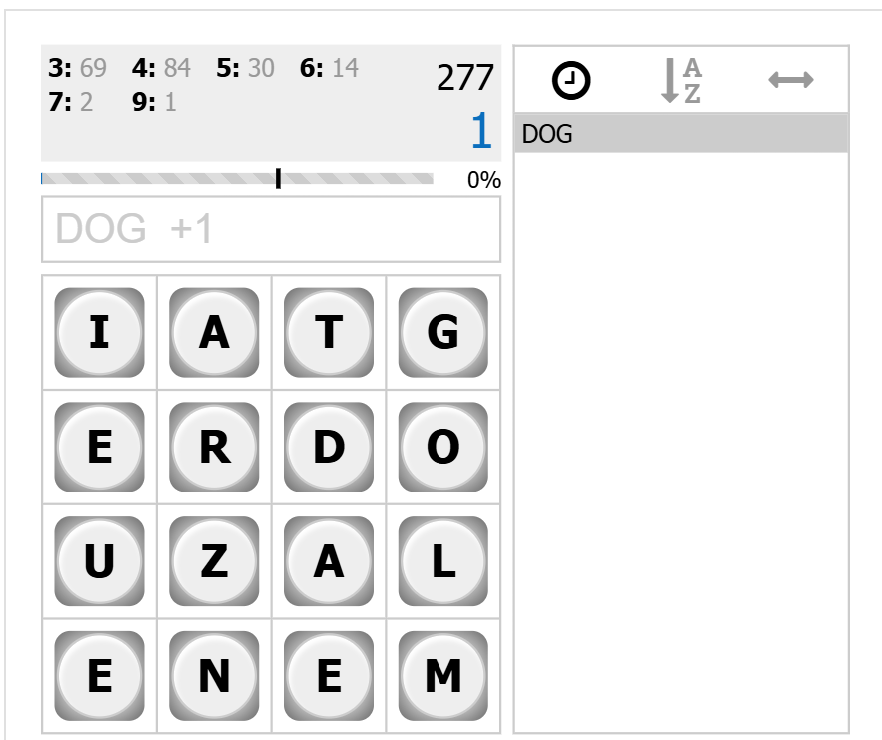
Boggle is a game where you need to make as many words as possible from a random selection of letters on a grid. You can start from any letter (dice) and move from one letter to another if it is a neighbour (in all directions). You cannot use a letter (dice) more than once in a word. You get points for each word – the more letters the better.
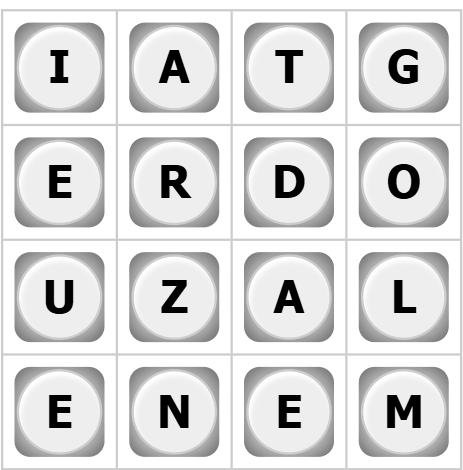
Make a function, get_new_boggle() that returns a random Boggle Board.
The data structure you use to represent a Boggle Board is up to you. A 2-D List or something like that could work but maybe you have other ideas. Your next question will utilize this data structure so make sure it’s one easy to use.
Each dice should be random and every letter has the same chance of appearing on any dice. Normal boggle will only have 6-sided dice in each place, but our boggle board is more random and harder to predict and may yield NO points whatsoever.
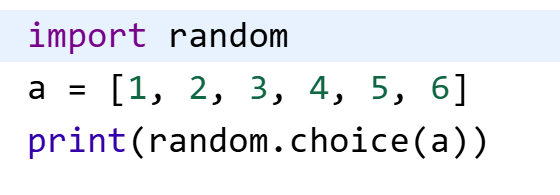
This is a way to generate random selections from a list…
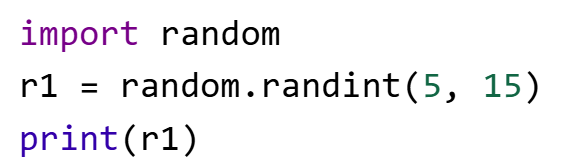
This is a way to generate random numbers in a certain range:
FYI – normally there’s a special “Qu” letter but we will not be adding this special case to our game.
2. BOGGLE – Find 3-letter words
Write a function get_words(boggle_board), that takes a 4×4 Boggle Board (see question 1) and returns the list of all 3-letter words possible on that board. In Boggle, only 3 or more letter words get you any points so don’t bother returning 1- or 2-letter words.
You can use THIS WORD LIST to compare against actual English words.
It’s not exhaustive, but let’s say Boggle players must adhere to it. Feel free to add words.
3. BOGGLE- Calculate Score
Write a function, boggle_get_score(boggle_solution) that takes a Boggle solution (list of possible words) and returns a score based on the list.
3-4 letter words equal 1 point
5-letter words equal 2 points
6-letter words equal 3 points
7-letter words equal 5 points
8+ letter words equal 11 points
4. BOGGLE – Interactive Game, 3-letter words only
Create a python program that creates a new boggle board, displays it to a user and takes inputs from a user for possible solved words. If the word is possible the user is awarded points accordingly, and the program shows them their current score compared to a total possible score. The program continues until the user gives up and exits it, or the user gets the full max possible score.
5. BOGGLE – Full Interactive Game
Same as above, but for all word lengths.
The program should show the user the possible number of 3,4,5,6,7,8+ words possible.
See below for an example, but your UI should be text based only: